Overview
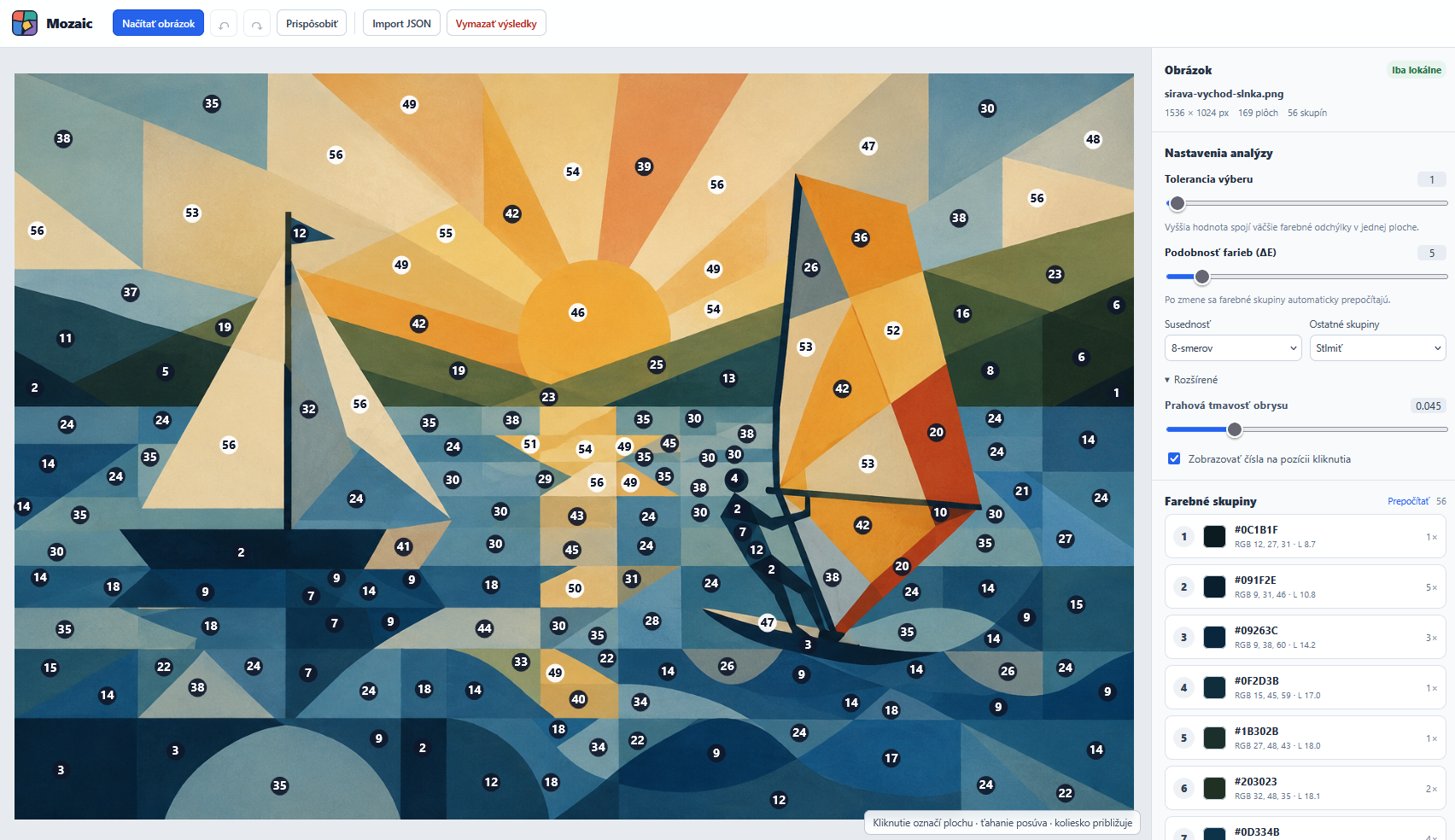
Mozaic is my web application for turning an image into a colour palette and a numbered working guide. It is designed for mosaics, painted designs and other images divided into separate coloured areas.
The user selects areas by clicking. The application finds their connected pixels, determines a representative colour and places similar colours in the same group.
The brief
A detailed image can contain many areas with very similar shades. When painting or assembling a mosaic, it helps to know which areas share a colour and how to work through the palette.
The goal was to create a practical numbered guide with colours ordered from darkest to lightest.
The solution
The editor accepts PNG, JPEG and WebP images, supports zooming and lets users select individual enclosed areas. Selection tolerance handles colour variations, while a separate setting controls colour group similarity.
Groups can be highlighted, edited or merged. Results can be exported as a numbered PNG, a CSV palette or a JSON project for later use. Undo and redo are also available.
My role
I designed and developed the editor, image processing logic, colour group management, exports and local project storage. The application combines interface design with image processing algorithms.
Technical implementation
The application uses Vue 3, TypeScript and Canvas. Pinia manages state and IndexedDB automatically backs up the current project. Processing and exports run entirely in the browser; images are not uploaded to a server.
- Iterative flood fill to find connected areas.
- Representative colours calculated from samples inside each area.
- Colour comparison in CIE Lab using ΔE76.
- Groups sorted by lightness and areas renumbered accordingly.
- Memory-efficient area masks and project restoration when reopening the application.
The result
The result is a working MVP that helps turn a coloured image into a palette and a numbered working guide. Areas are selected individually by clicking; the application does not yet detect every area at once or track painting progress.
The source code and an online version are publicly available.